Windows · macOS · Linux
A free malware scanner for Windows
Bytesnare scans your PC for malware, viruses and trojans, and tells you exactly what it found.
Free download for Windows Windows 11 · ARM64 and x64 — what it installs No account, no licence key, no trial period, nothing to buy.
What Bytesnare does, on a machine you control
- Process and network activity, observed as it happens
- Records kept on the endpoint, encrypted, uploaded only if you say so
- Gaps counted and declared, never rounded to zero
- Works with the network off. Nothing local waits on a cloud
Choose what to scan. See what was checked. Understand the result.
A file that could not be fully checked is never presented as clean. Whatever stopped the check — a permission, a lock, a file that changed underneath it — is what you are told, rather than a result that quietly stands in for one.
Nothing to sign up for, nothing to buy, and it tells you what it did not manage to check.
Windows 11 · ARM64 and x64
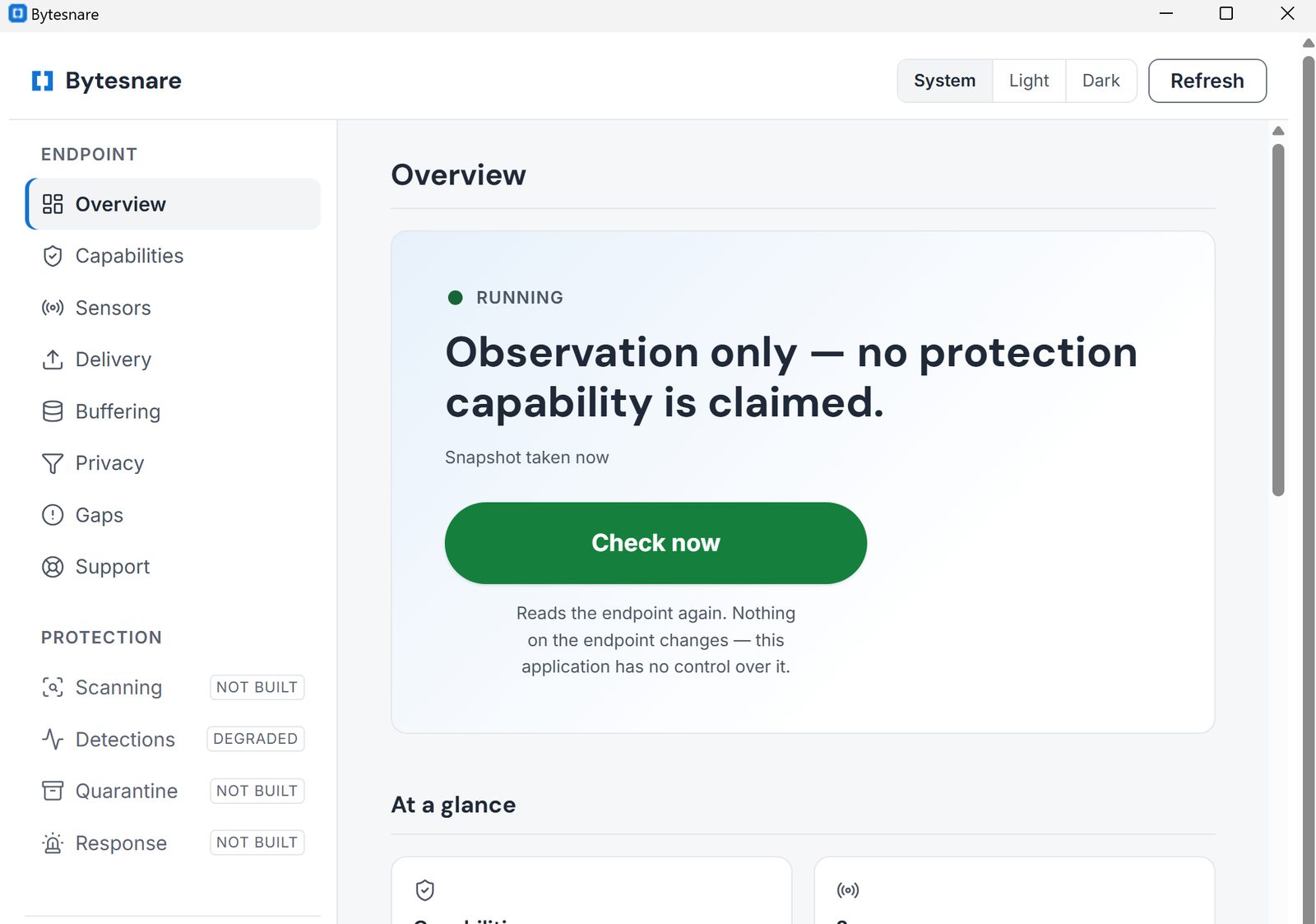
It shows you what it cannot do
A capability your hardware cannot support, or your policy will not permit, is a sentence you can read with the reason the endpoint itself gave — because finding out whether a security product covers you should not require an incident.
-
Six states, never two
Permitted is not the same as working, and working is not the same as working well. Bytesnare keeps the six apart and shows you which one you have.
-
A gap is a number, not a silence
If Bytesnare misses something, it counts it and tells you. Nothing it failed to see is ever shown to you as a zero.
-
Every limit arrives with its reason
An area your endpoint cannot offer is listed and greyed, with the reason the endpoint itself gave. There is no padlock and nothing to buy: it is a statement about the software, not an upsell.
In writing, so it is not only a picture: every capability carries its own state and its own reason, and a capability the endpoint cannot offer says so rather than going quiet. What it does not do is the same list without the screenshot.
Where it runs
| Platform | Observes |
|---|---|
| Windows | Process and network |
| macOS | Nothing — there is no macOS build |
| Linux | Nothing is published |
Three things that follow from how it is built
It never waits on the internet
Everything Bytesnare does on your machine works with the network off. It never pauses a decision to ask a server.
It tells you what it lost
When something is dropped, Bytesnare counts it and says where it went. A gap you can see is a gap you can act on.
Nothing it shows you is invented
If the app cannot reach the service it says so, rather than showing you a green tick it has not earned. A number it does not have is shown as unavailable, never as zero.